Google Robotics UI
Robotics teleoperation and 3D visualization tool developed for AI research at Google DeepMind
Overview
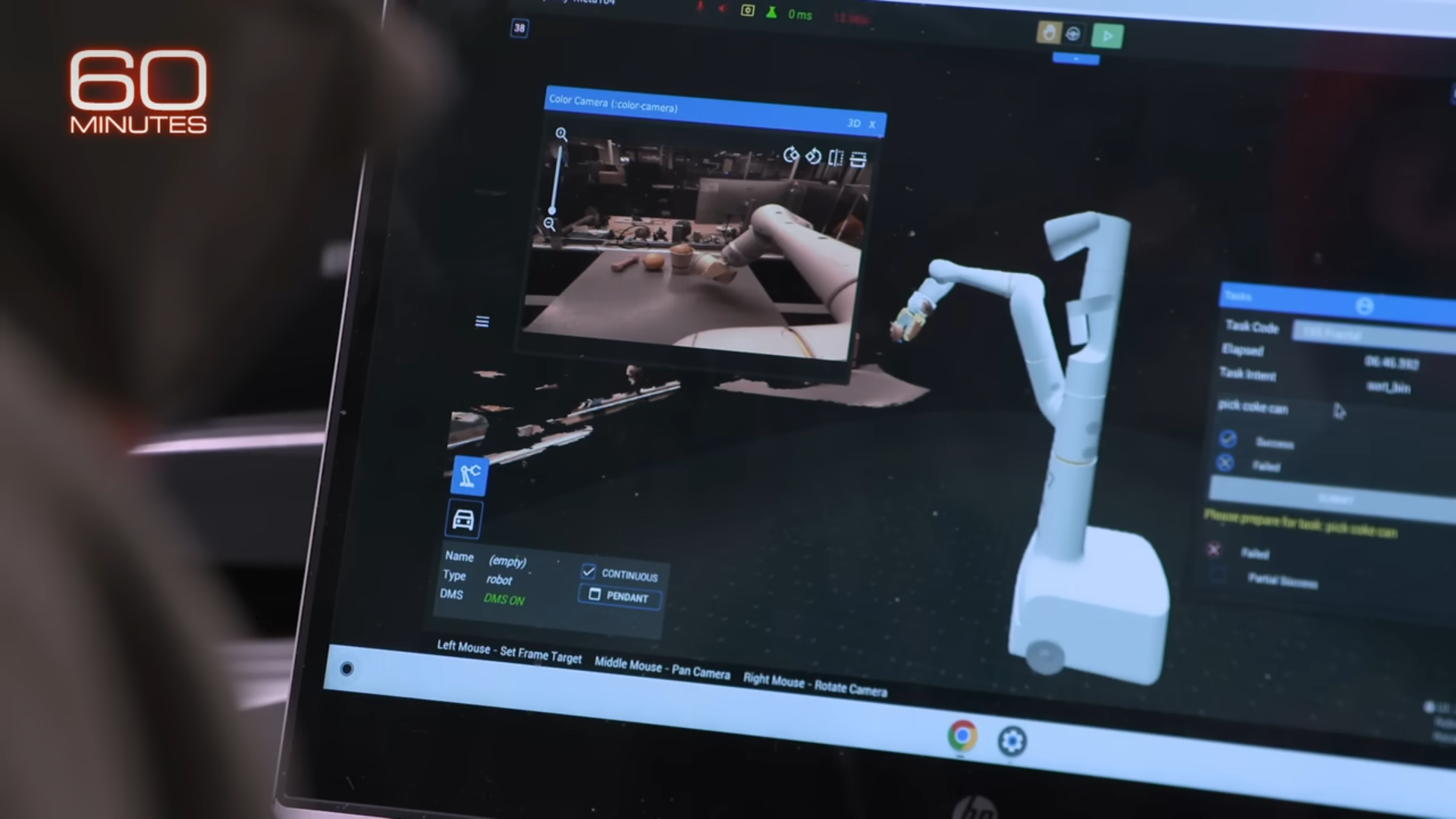
The Robotics UI is a program used internally at Google for robotics teleoperation and 3D visualization that also evolved as a data collection tool for AI research. Web and desktop versions allowed researchers and operators to connect to multiple kinds of robots across several Google buildings. I added new features and contributed to integrating new robot types into the application. The bulk of my work, however, involved fixing, updating, and polishing the many features of the UI that had accumulated over the life-cycle of the project, as well as making large-scale reorganizations of the UI as a whole to make it more intuitive and usable.
Multi-Robot UI
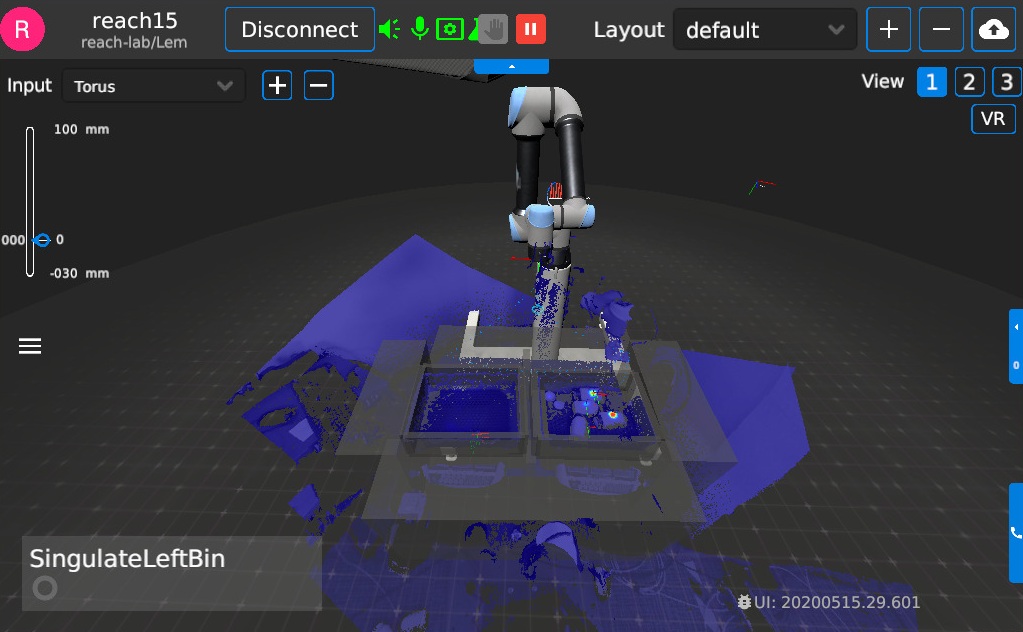
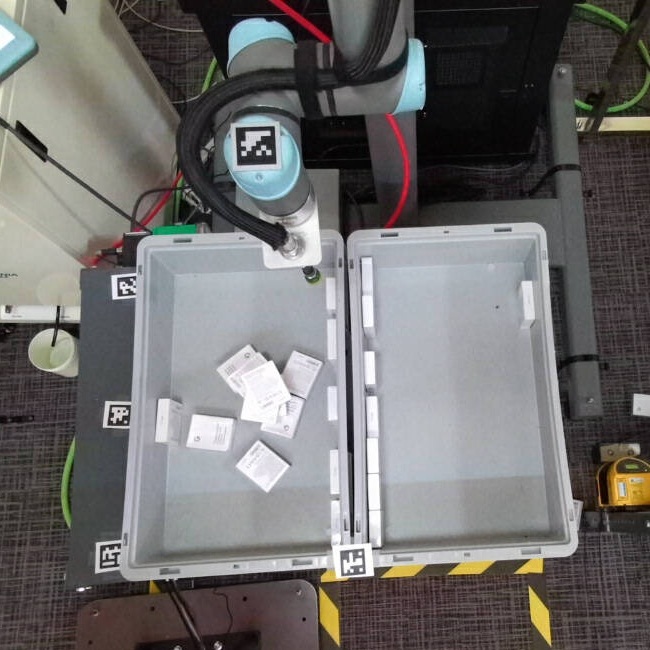
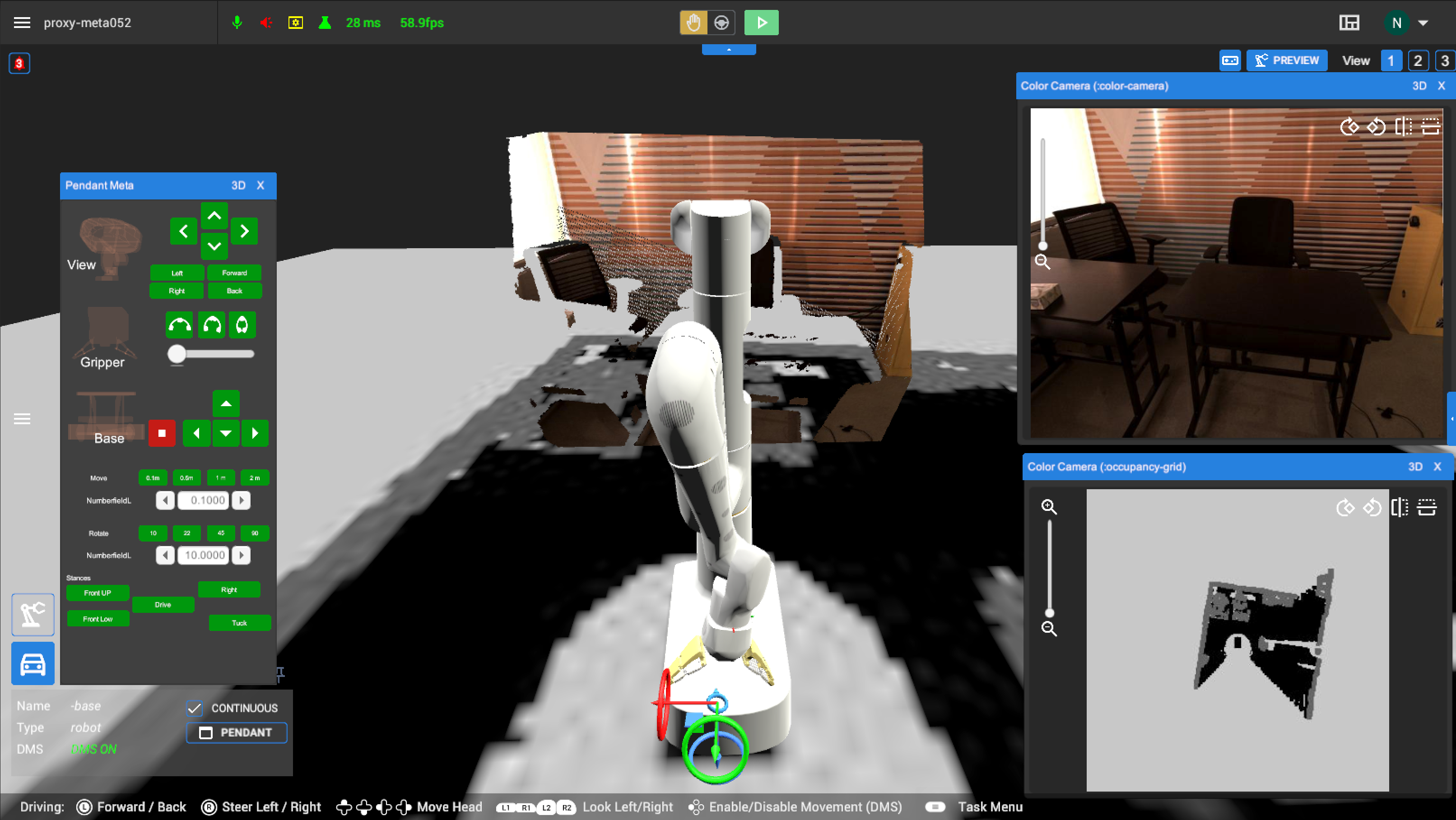
The UI supported robots from a range of manufacturers, and each new hardware addition brought unique features that had to be accounted for in the interface. When I joined, all connected robots were single-arm. Much of the active development at the time was around supporting Google's own EDR Meta robot, which introduced driving and head movement capabilities on top of the standard arm controls.
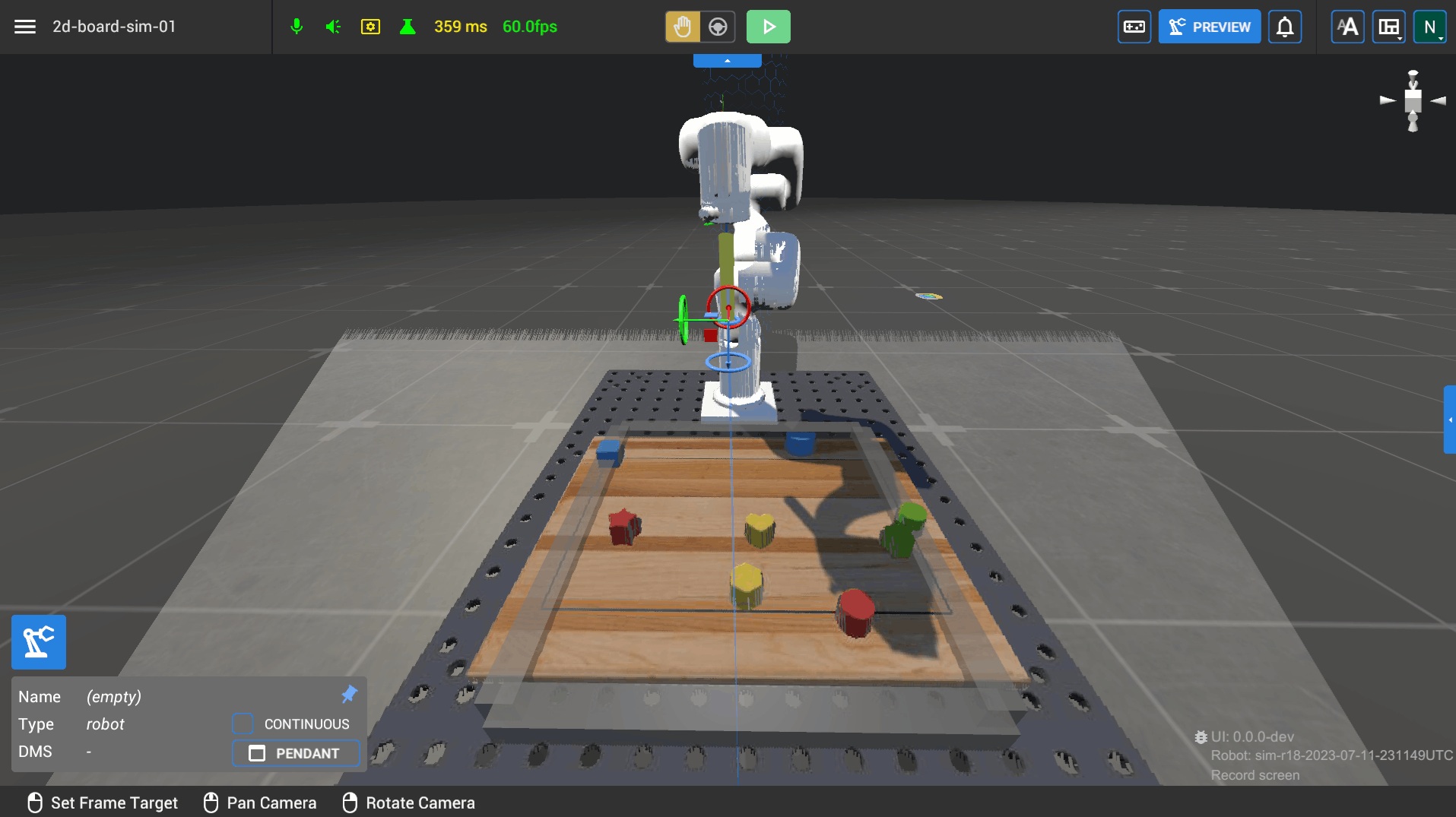
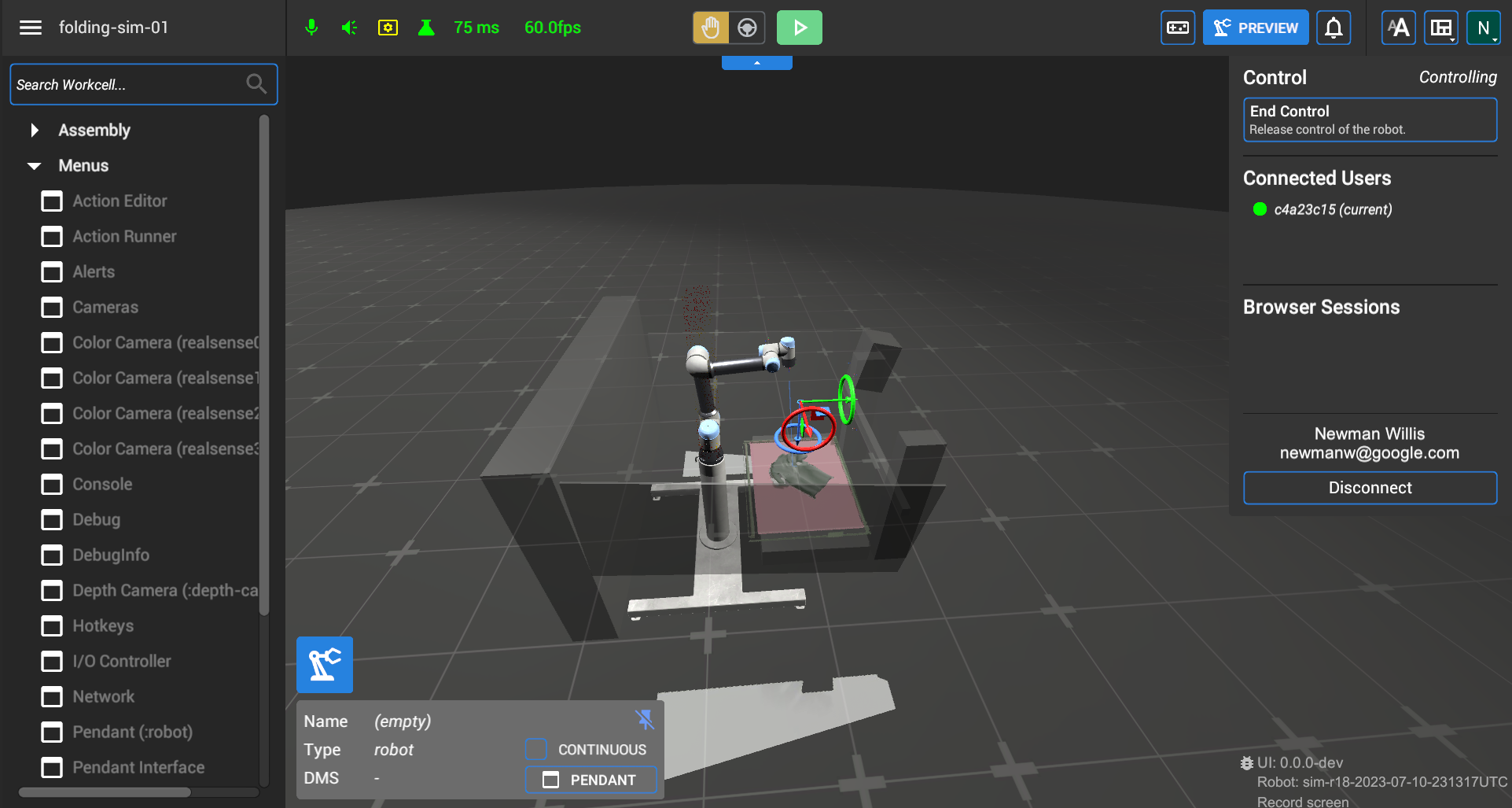
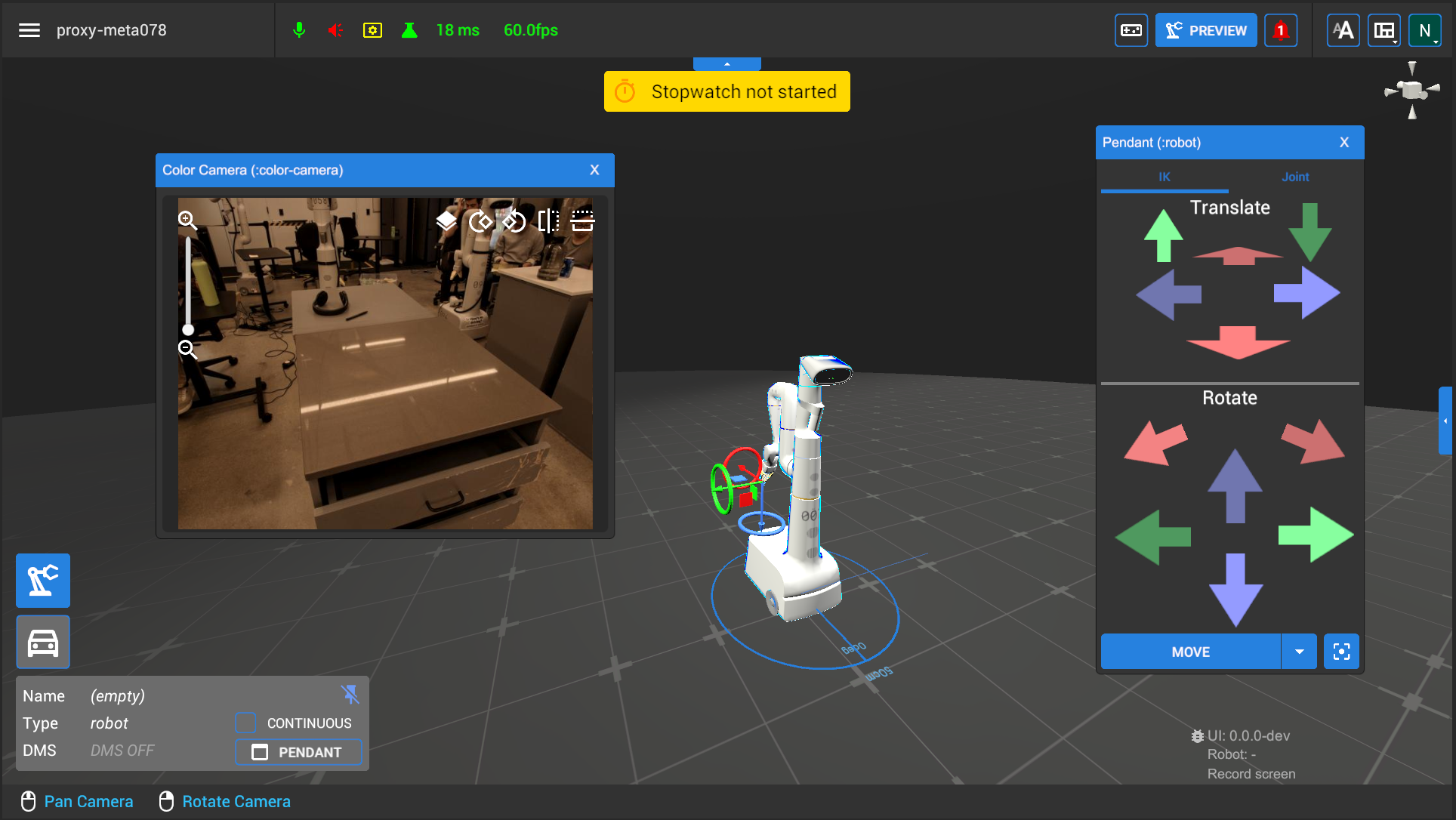
I added numerous features in this process, creating things like contextual visuals for the current controls available to the user, the ability to manipulate the camera view, and playback controls to tutorial videos within the program. My biggest early milestone though was integrating the first bi-arm robot into the UI and expanding VR controller support to operate both arms.
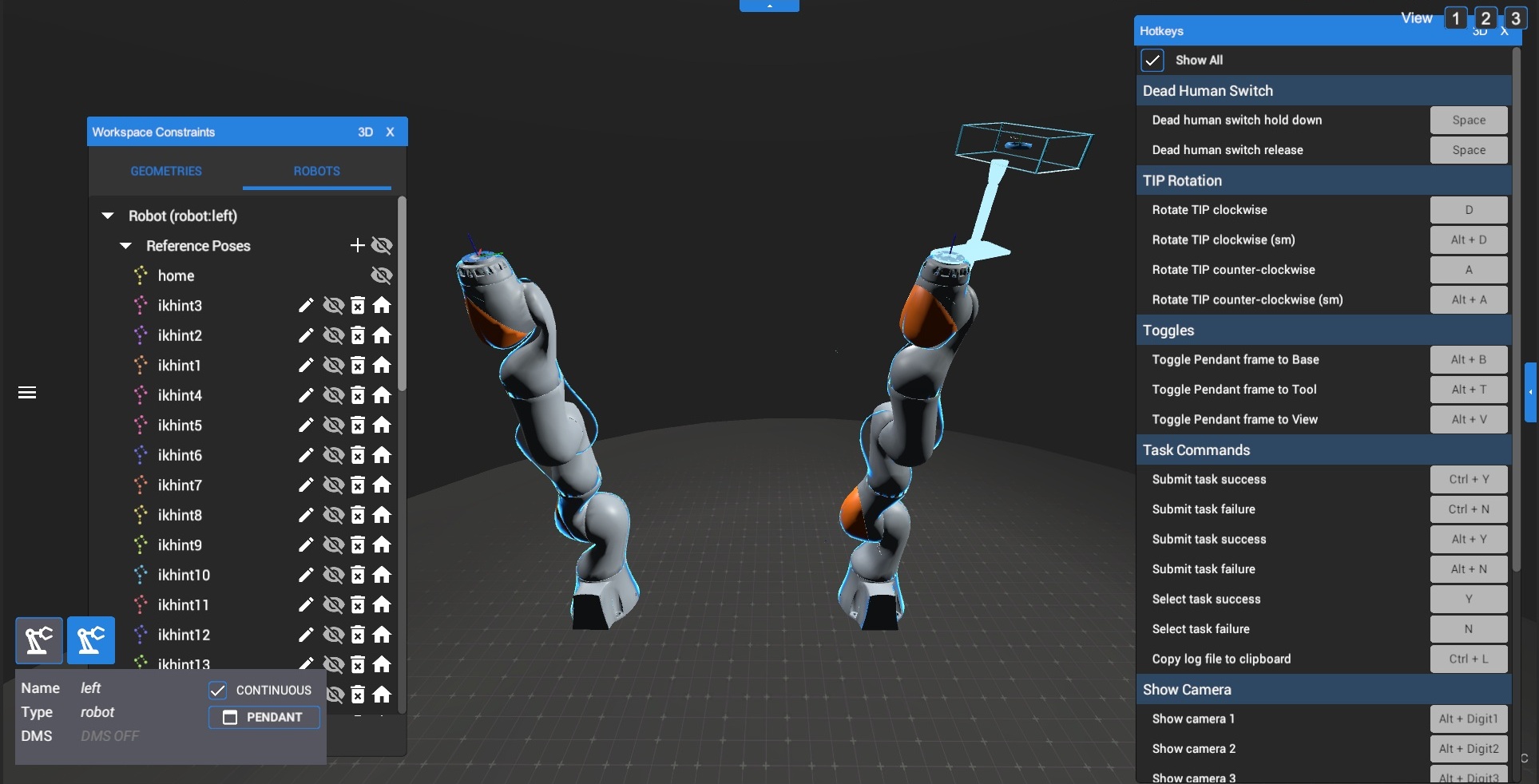
Much of the initial bi-arm work was just about extending the existing single-arm logic to support two. Several features needed to be duplicated and updated to read in data for each arm properly. Mouse and keyboard controls were still designed to operate one arm at a time, so the logic primarily just needed to be able to switch between them correctly.
However, the codebase was hardcoded with the assumption that there would only ever be one arm. That meant using two VR controllers to control both arms at once would require a significant refactor. I converted arms into their own objects, allowing bi-arms to easily extend that logic for two, updating the single-arm code as well as a by-product.
I demoed the result using a simulated version of the KUKA bi-arms to a room full of Googlers, showcasing the first time bi-arm controls were operated in the UI.
Improving the UI/UX
The Robotics UI was a long-running and frequently reimagined initiative with numerous engineers rotating in and out over its history. Features had accumulated in ways that progressively crowded the UI against older features that became outdated, broken, or were even left unfinished. What started as fixing individual features would regularly surface the need for larger structural overhauls. I took it upon myself to make these changes, especially as more new features were added by the team.
Initial UI state
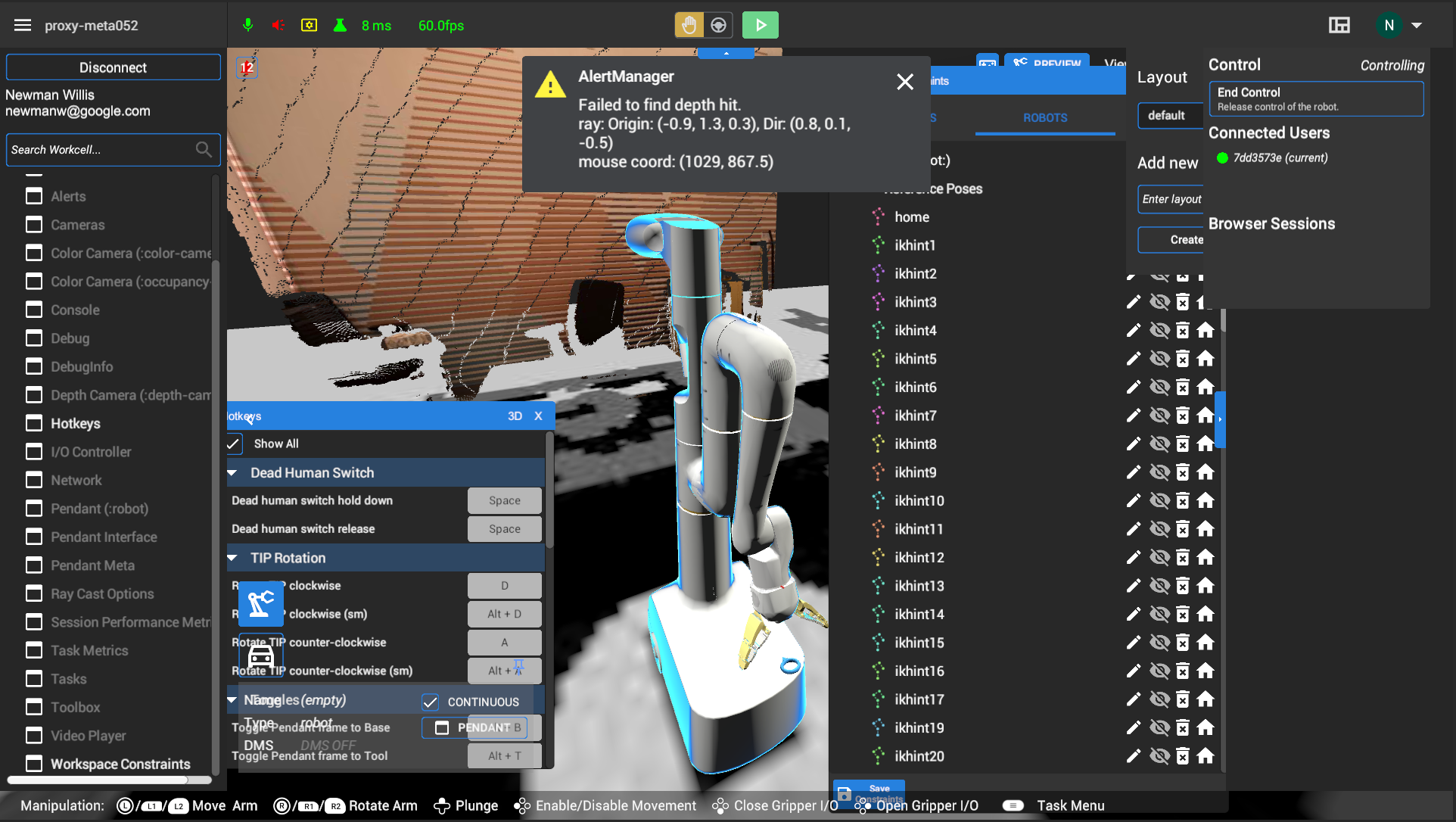
To just highlight a few clearly visible issues above, you can see how the transparent UI components bleed into the contents underneath them, multiple dropdown menus in the top right stay open on click-away, the central viewing area has many buttons and text that can be obstructed by configurable windows and pop-up messages, and a right-side menu opens to an empty panel.
Later redesign stage
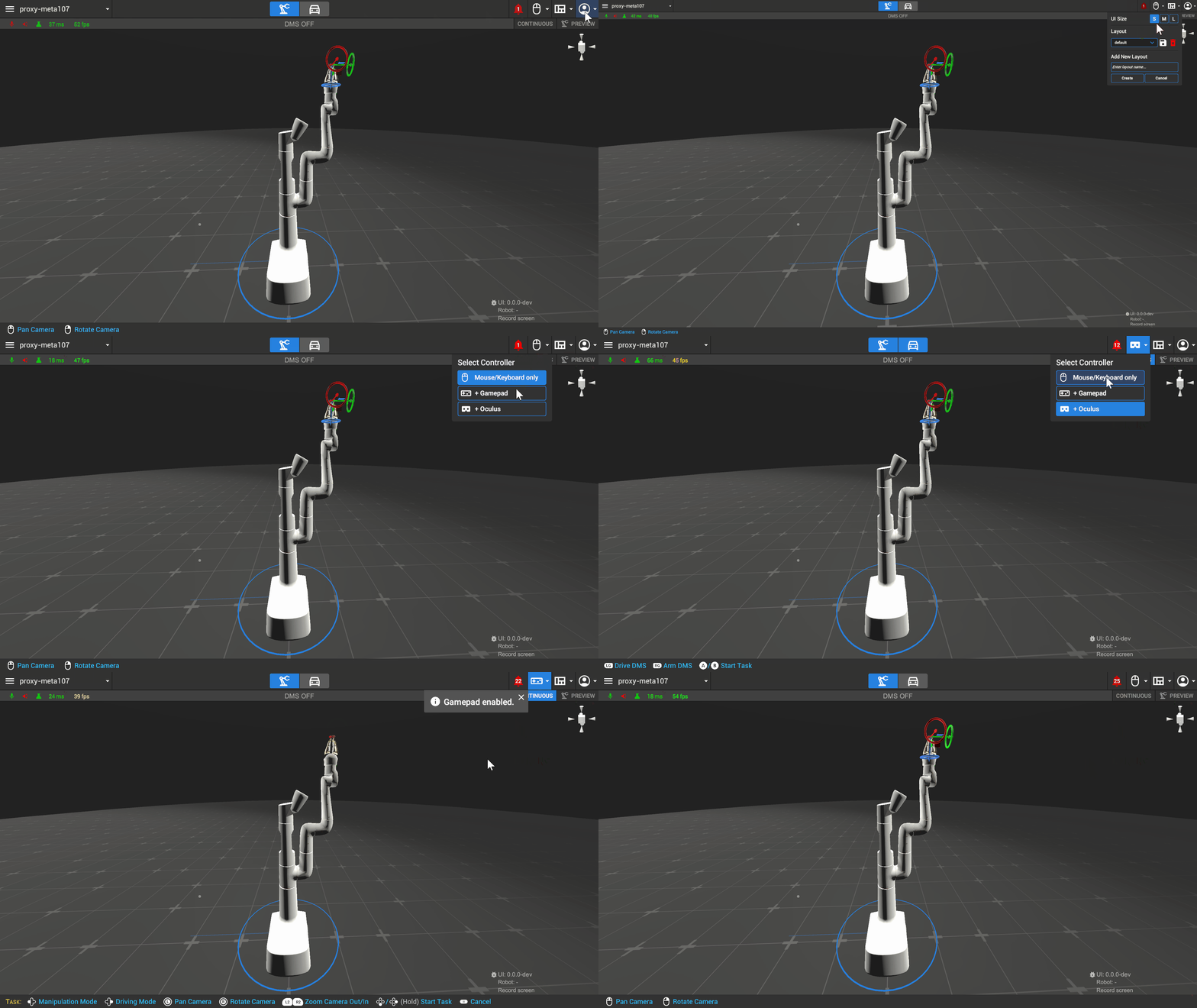
The gif above shows an intermediate stage of the final redesign, but the core improvements are visible. The visuals are more consistent and uniform — transparent components are made solid and given their own space, buttons and menus look and behave predictably, the center view is free of buttons and panels that get in the way of windows and the 3D environment, and unused or duplicate features are removed. And beyond addressing existing issues facing the UI, the design was built with flexibility for potential future features as well. Dedicated areas for new buttons and menus meant features could be added without crowding the viewport, and parts of the UI automatically adapted to different robot types and the control method in use.
Customizable UI
With robotics AI research becoming an increasingly fast evolving and competitive space, the UI needed to adapt to survive as a useful tool. The original UI was largely built in Unity, and any new features or even simple text changes required going through the development team to make anything happen. With Python being a much more known and accessible language to AI researchers, a new version of the UI was made that allowed a Python script to communicate with Unity to build a customized UI from it.
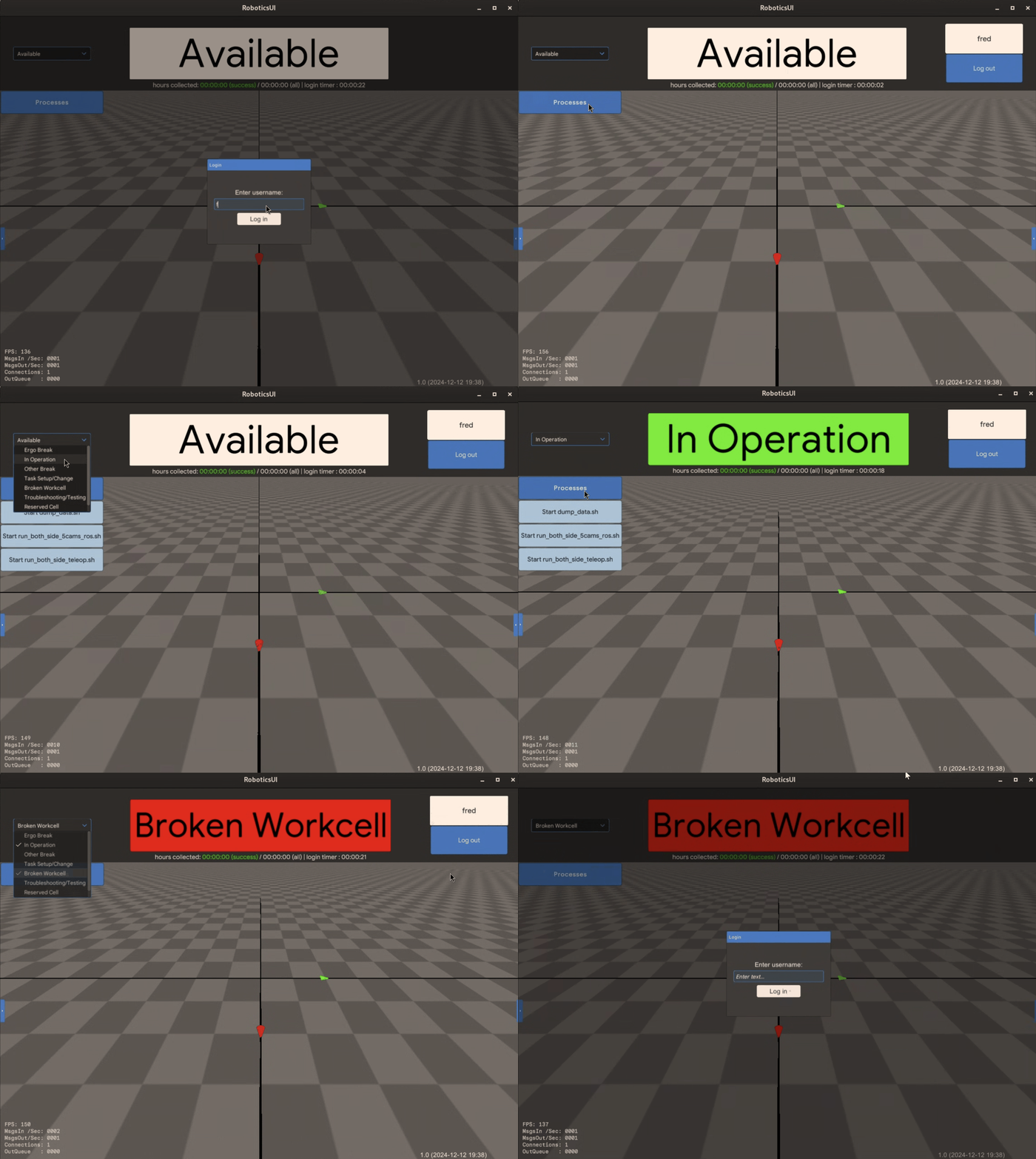
This opened up the design and feature implementation to many more developers, so my role now was to help create the building blocks for them to do so in this multi-language pipeline. On the Python side, I contributed to the framework that gave developers a clean API for defining UI elements and configuring their properties. And then on the Unity side, I implemented these definitions into the actual UI features. So anything from something simple like a button or text box to something more complex like a login menu or camera feed could be created from a basic Python script.
The result was a UI system that any Python-familiar researcher could customize themselves without needing to go through the development team.
Outcome
The Robotics UI was a reflection of the environment it lived in. AI robotics research is a rapidly evolving space with constantly shifting priorities. Keeping the tool viable over its long lifespan required people pushing new features forward as well as people who could tie all these components together into a coherent whole. While I was able to do some of the former, I found a lot of open space in the latter where I could make meaningful contributions for the people who used the tool every day.